n8n Assistant 2.35+: Agents, MCP, and one-line Docker beside a Bubble app
A pragmatic breakdown of n8n 2.35+: what new AI agents, MCP integration, and one-line Docker setup mean for non-technical founders launching MVPs on Bubble.
When validating an MVP or building with vibe-coding practices on Bubble, your primary objective is speed: shipping a functional product, gathering early feedback, and proving market demand. Adding unnecessary infrastructure overhead early on is one of the fastest ways to derail a launch.
The n8n Assistant 2.35+ release introduces several capabilities capturing attention in the low-code space: autonomous AI agents, Model Context Protocol (MCP) support, and a single-line Docker installation. However, behind the headline features lie critical operational trade-offs. Here is an honest, source-grounded decision map for Bubble founders.
What Shipped in n8n Assistant 2.35+
Formally rebranded from "AI Assistant" in September 2026, the updated n8n Assistant includes:
- In-Editor Chat Assistant: Interactive conversational creation, editing, testing, and debugging of workflows directly within the canvas.
- AI Agents (Preview): First-class agent scaffolding—configuring instructions, tools, and skills. On self-hosted instances, this graduated to beta starting in version 2.32.3 via
N8N_ENABLED_MODULES=agents. - Two-Tier MCP Support:
- Instance-Level MCP Server: Enables external developer tools and coding agents to search, edit, test workflows, and manage agents inside n8n (introduced in 2.33+ / 2.34+).
- Assistant ↔ MCP Registry: The n8n Assistant itself can attach external registry servers to discover tools during workflow construction (included in 2.35.0 release notes).
- One-Line Docker Setup: The command
curl -fsSL https://get.n8n.io | shsets up an environment in./n8n/requiring Docker and Docker Compose v2.
The Bubble Stack Decision Map
There is no vendor-provided Bubble↔n8n pairing guide, but sound architecture dictates a clear separation of responsibilities:
What Must Stay Inside Bubble:
- Core User Experience (UI/UX): Responsive layouts, form states, visual feedback, and client-side page navigation.
- Data Privacy & Authorization: Bubble's native Privacy Rules must protect user records. Delegating authorization logic to external layers during an early MVP introduces severe security risks.
- Synchronous, Low-Latency User Actions: Any action where an end user clicks a button and expects instantaneous feedback on screen must execute within Bubble's native engine.
What Fits Beside Bubble in n8n:
- Cross-Service Automation: Syncing user signups to CRMs, piping leads into Google Sheets, sending email digests, or receiving third-party billing webhooks.
- Scheduled Background Jobs: Recurring data cleanup, daily synchronizations, or batch analytics running off-peak.
- Multi-Tool AI Orchestration: Complex operations requiring an LLM to query multiple external APIs, transform data across services, and return consolidated payloads to Bubble via webhooks.
The Solo-Maintainer Reality of "One-Line Docker"
While running curl -fsSL https://get.n8n.io | sh appears straightforward, it introduces significant operational baggage for non-technical creators:
- The script provisions a multi-service Docker Compose bundle configured with SQLite by default, a local SearXNG instance, and a bundled code sandbox (
n8n-sandbox). - Not for Production: Official n8n documentation explicitly positions this bundled sandbox stack for local development and testing only. Production environments are documented to require a dedicated PostgreSQL instance and Daytona sandboxing.
- Elevated Host Privileges: The bundled sandbox runner uses a privileged Docker-in-Docker implementation, expanding the host attack surface and security boundary well beyond a standard single-container setup.
- Maintenance & API Costs: Self-hosting relies on Bring-Your-Own-Key (BYOK) for LLM providers. In contrast, n8n Cloud bifurcates billing into AI credits (for Assistant conversations) and Gateway credits (for executing deployed workflows).
If you lack Linux sysadmin expertise, running this stack on a VPS shifts your daily focus away from customer discovery and into managing container crashes and certificate updates.
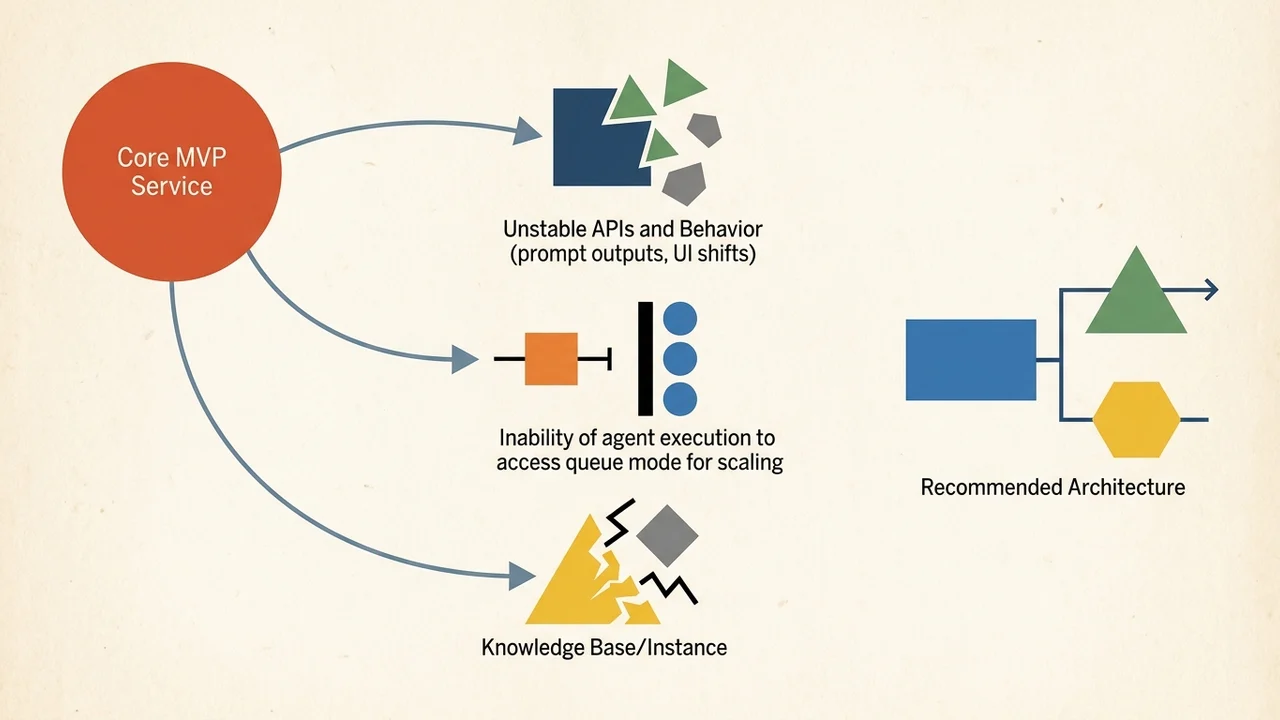
The "Preview" Warning: Why Not to Anchor Your Core MVP on Agents
Both n8n Assistant and the Agents module carry an explicit Preview label (highlighted in official docs and community announcements). Key operational constraints include:
- Unstable APIs and Behavior: Prompt outputs, UI layout, and execution mechanics can shift between minor versions (note that while docs cite 2.35+, intro blog materials reference 2.36+ for self-hosted Docker).
- No Queue Mode Support: Agent execution cannot currently leverage queue mode for horizontal worker scaling.
- Knowledge Base Constraints: Running agent knowledge bases on self-hosted instances requires Daytona (also in Preview).
- Unscoped MCP Access: The instance-level MCP server does not provide per-client workflow isolation. Any client connected to your MCP endpoint can inspect all workflows and agents enabled for MCP exposure.
Strategic Takeaway for MVP Builders
- Keep Early Architecture Minimal: Build your primary product loop entirely inside Bubble. Use the native Bubble API Connector for standard REST integrations.
- Avoid Infrastructure Overload: If your workflow genuinely demands external orchestration, leverage managed cloud tiers (such as n8n Cloud) rather than babysitting self-hosted Docker containers before securing your first paying users.
- Treat Preview as a Lab: Experiment with n8n Agents and MCP to prototype agentic workflows, but do not make them single points of failure in mission-critical user paths.