How Much Does an MVP App Cost? What Drives the Price and When to Hire a Developer
With a new app idea, the first thing founders ask is what an MVP will cost to build. There is no honest universal price tag. The budget comes from workflow logic, user permissions, payments, and integrations, not from screen count. Here I compare no-code, AI builders, and custom development, share practical lessons from Bubble builds, and explain when to hire professional help.
Non-technical founders getting ready to launch a first product almost always start with the same question: how much does an mvp app cost?
Ask three agencies or freelance developers and you will likely get three wildly different estimates, from a few thousand dollars to well over fifty thousand. That gap does not mean someone is trying to mislead you. Software cost is not set by the visual idea of the app. It is set by how deep and rigorous the technical logic underneath has to be.
Before you put in money or time, here is what actually moves a development budget, how to choose a build route, and when hiring a professional developer makes financial sense.
What Really Drives the Cost of an MVP?
A common mistake among early-stage founders is measuring scope by screen count. Ten simple content pages can take a few hours. One checkout screen that handles real-time stock validation, discount vouchers, split payouts, and failed card retries can take weeks of careful engineering.
When you work out how much does an mvp cost, look at these five drivers:
- Workflow Complexity (User Journeys): The main cost driver is not the interface. It is the branches in your logic. What happens when a user enters invalid data? How are password resets handled? Which notifications fire at each stage of the lifecycle? The more conditions a workflow has, the longer it takes to build and test properly.
- User Roles and Permission Architecture: A single-user productivity utility is straightforward to build. A two-sided marketplace or a multi-tenant B2B SaaS with buyers, sellers, and organization managers is a different job. The developer has to design and verify separate permission tiers so one user can never see another company's records.
- Monetization and Payment Flows: A one-off card payment through a hosted checkout is quick to set up. Recurring subscriptions, trial periods, prorated upgrades, refunds, or marketplace escrow payouts need serious backend validation and state handling.
- Third-Party Integrations: Every external service (CRMs, SMS gateways, geocoding APIs, automated PDF generation) brings variables you don't control. Each one needs API authentication, webhook listeners, and defensive error handling for when that service goes down.
- Who Builds It: You, a dedicated freelancer, or an agency. DIY saves cash but costs calendar time. Hiring moves that investment into paid professional work. A closer look: From the AMA: Conversational Generation.
Then there are ongoing operating expenses. After launch the app keeps billing you every month: platform hosting tier, database workload usage, third-party API keys, transactional email, and payment gateway fees. Stripe Pricing, for example, lists a baseline domestic card rate of 2.9% + 30¢ per successful charge, and that scales directly with your transaction volume.
Comparing Three Build Routes: No-Code, AI Builders, and Custom Code
You don't have to start by writing thousands of lines of code from scratch. Depending on budget and timeline, there are three paths.
1. Visual No-Code (Bubble)
Bubble is the established benchmark for full-stack web apps built without writing code by hand. Your relational database, visual interface, and backend workflows sit in one environment.
- Pricing Structure: According to Bubble Docs (verified November 2026), you can design and test your logic entirely on the Free plan. Going live to users on a custom domain needs a paid tier, Starter or higher. Monthly capacity is measured in Workload Units (WU), and the Bubble FAQ lists overages at $0.30 per 1,000 WU. Per Bubble's October 2026 update on the Bubble Blog, the Bubble AI Agent uses dedicated monthly AI credits included with your plan. Building manually in the visual editor or through MCP tools does not draw from that balance.
- Best For: Complex web apps with multi-role permissions, custom business logic, and an integrated relational database, delivered in weeks rather than months. A closer look: Adalo Ada (11 Oct): Prompt-to-Screens.
2. AI App Builders (Lovable, Bolt.new)
These platforms generate app prototypes quickly from natural language prompts.
- Pricing Structure: The Lovable Docs show a free tier and a Pro tier starting around $25/month with included credit allowances. Bolt Pricing (verified November 2026) lists Pro at $25/month for 10 million tokens for code iterations and prompts.
- Best For: Fast clickable mockups, internal prototypes, and testing your messaging with early prospects. Before you onboard paying clients, check that the generated codebase has solid database-level security rules, a clean code export, and a reliable way to maintain it.
3. Traditional Custom Code
An app written from scratch on standard frameworks (like React, Node.js, or PostgreSQL) by freelance engineers or an agency.
- Pricing Structure: Vendor blogs and agency marketing routinely quote baseline custom MVP projects in the five-figure range. I read those as commercial sales targets, not industry benchmarks. You pay hourly or project rates for specialized engineering, testing, and DevOps deployment.
- Best For: Products that depend on proprietary hardware integrations, custom cryptographic algorithms, or specialized high-frequency computation that standard cloud app platforms can't handle.
Inside the Build: Practical Bubble Lessons from the Editor
On real Bubble apps, I rarely spend my time aligning buttons. The time goes into database integrity, keeping client data secure, and making payments hold up in edge cases. Here is what that looks like.
1. Input Forms and Data Integrity
Bubble makes it easy to auto-bind inputs straight to database fields. For core business records, that convenience is a risk. In production builds I make the flow explicit: the user fills in the form, client-side conditionals check it's complete, and a separate server workflow runs on button click. Values get validated before anything is created or changed in the database, so you don't end up with partial or corrupt records.
2. Permissions and Database Privacy Rules
Security comes first. In Bubble, visibility conditions like hiding an element when the user is not an admin do not protect the database underneath. A tech-savvy user can open the browser and inspect the incoming network payloads.
As Bubble Docs explain, real data security is configured in backend Privacy Rules, and those rules work additively on the server. I set strict access policies for every data type, for example "Current User is this Company's Admin". If a user doesn't meet the rule, Bubble's server never sends that field to the browser. That is what gives you airtight tenant isolation.
3. Payment Processing via Stripe
For payments I use the official plugin described in Bubble Docs. In practice that means:
- Keeping Stripe test keys and live keys strictly separate.
- Dedicated webhook listeners that record successful charges, process subscription renewals, and handle expired cards gracefully.
- For two-sided marketplaces, Stripe Connect split payouts as described in Bubble Docs Marketplace, with vendor identity verification and fee deductions done before transactions settle.
4. Ownership Transfer and Collaboration
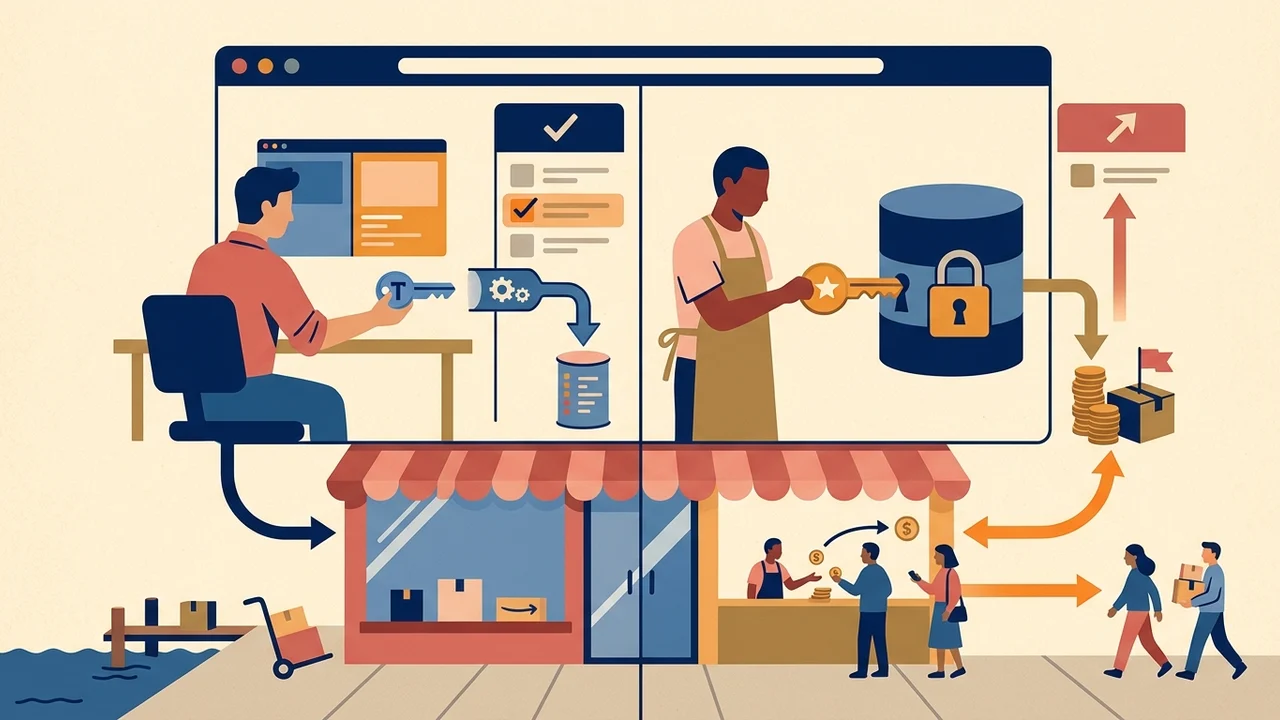
When an outside developer finishes your build, the app should not stay locked in their personal Bubble account. In the standard workflow from Bubble Docs Collaborators, the developer starts an ownership transfer via Settings → Collaboration straight to your Bubble account. As the new owner, you attach your own production plan and set your own secret API keys. You keep 100% control over your data and code assets.
5. Managing Platform Limits and Workload Units
Predictable hosting costs depend on efficient database design. If a dashboard runs continuous unindexed searches across tens of thousands of records every time it loads, Workload Units drain fast. So I pre-aggregate metrics, set strict query constraints, and move heavy recurring data jobs to scheduled backend workflows.
When Should You Hire a Developer (and When Should You DIY)?
If you want to test a simple concept, collect your first leads, or see whether anyone wants the service, you can build an app without coding yourself on a free plan over a few focused weekends.
Bring in an experienced developer when you hit one of these points:
- You are processing live payments: One flawed webhook or unhandled checkout edge case damages customer trust and risks suspension by the payment processor.
- You need multi-tenant security and compliance: If business clients trust you with proprietary data, a leak from misconfigured privacy rules can end the venture early.
- Manual workarounds are stalling growth: You spend hours every day copying information between spreadsheets or provisioning user accounts by hand instead of talking to customers and closing sales.
- You need complex API integrations: Your product depends on two-way sync with legacy enterprise systems, CRM webhooks, or custom authentication providers.
Don't hire an agency just to get a flawless-looking interface before you've proven customers have a real problem they'll pay to solve. Premature polish is the fastest way to burn through your runway.
How to Write a Project Brief Developers Can Actually Estimate
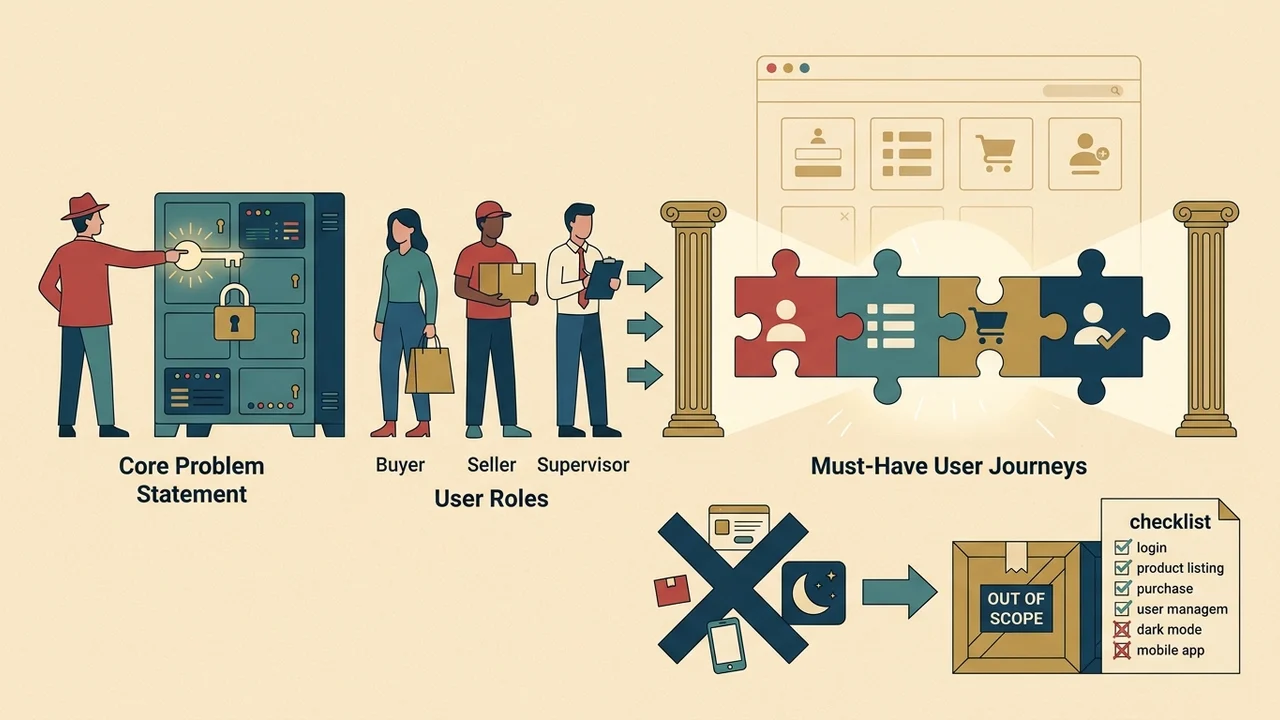
To find out how much should an mvp cost for your requirements, skip vague one-liners like "I want to build an Uber for pets." Send developers a clear 1–2 page brief that covers: Worth reading next: Who Should Build Your Bubble.
- Core Problem Statement: One sentence on who the user is and what problem the app solves.
- User Roles: Every distinct user type that logs into the system (e.g., Buyer, Seller, Superadmin).
- Must-Have User Journeys: The 3 to 5 critical workflows that have to work for the product to create value.
- Explicit Out-of-Scope List: What will not be built in version one (e.g., native mobile apps, dark mode, in-app messaging, automated invoicing).
- Required External Services: The payment gateways, SMS providers, or mapping tools you need, and confirmation that you own the accounts.
- Acceptance Criteria: The specific, verifiable test cases you'll run before approving milestone payments.
With a brief like that, an experienced developer can give you a realistic roadmap, flag technical bottlenecks before they happen, and build an MVP that scales smoothly into a sustainable business.