Expo SDK 57 in Bubble Mobile: A Risk Checklist for Native Plugins
Bubble upgraded its native mobile app runtime to Expo SDK 57 and React Native 0.86.2. For non-technical founders and vibe coders racing to launch an MVP, here is what to audit across marketplace plugins and dev builds before you ship.
When validating an idea with no-code tools and vibe coding, speed to market is everything. You need a functioning MVP to collect initial customer feedback, prove traction, or present to angel investors. In that fast-paced workflow, it is tempting to treat plugins as turnkey black boxes that will run smoothly anywhere. But in native mobile development, the underlying foundation matters. On September 2, 2026, Bubble announced an upgrade of its native mobile app engine, moving from Expo SDK 55 (React Native 0.83.2) directly to Expo SDK 57 (React Native 0.86.2), skipping SDK 56 entirely. In addition, the minimum supported iOS floor for new builds has shifted to iOS 16.4. Same topic: BuildGate: approve live deploys before.
If you are aiming for a clean launch without unexpected app crashes in front of early users or investors, here is what the runtime migration means, how dependency conflicts work in Bubble, and where to pause native-layer vibe coding until your stack is verified.
What Changed: A Two-Version Leap in a Managed Runtime
Upstream, React Native 0.86 is framed as an incremental step with no user-facing breaking changes from 0.85. However, inside Bubble Mobile's managed environment, the practical risk looks quite different for two key reasons:
- The Skipped Version Jump (Expo SDK 55 → 57). Bypassing SDK 56 bundles a substantial dependency diff with major and minor bumps across core libraries:
react-native-reanimated(4.2.1 → 4.5.1),react-native-worklets(0.7.2 → 0.10.1),react-native-gesture-handler(~2.30 → ~2.32),@react-native-community/datetimepicker(8.6 → 9.1),netinfo(11.5.2 → 12.0.1), alongside new packages likeexpo-glass-effectand updates to Metro andexpo-modules-core. Bubble explicitly pinnedexpo ^57.0.9andRN 0.86.2in its runtime. - The Managed Precedence Rule. Bubble runs a managed native environment. If a third-party marketplace plugin or custom package specifies a library version that conflicts with Bubble’s pinned set, Bubble's dependency version takes precedence and overrides it. A plugin that worked in isolation can behave unexpectedly or fail during native compilation if it relies on incompatible internal APIs.
While visual layout and app design inside the Bubble editor remain unchanged, Bubble posted an advisory warning plugin authors that breakage is possible, urging them to test and republish. There is currently no public centralized registry of broken marketplace plugins, and early forum mentions of layout shifts or tab-bar glitches remain unconfirmed third-party observations. In this context, lack of reported errors is not proof of compatibility.
Do Not Confuse Runtime Updates with Editor Roadmaps
For non-technical creators, it is easy to conflate simultaneous announcements. Bubble’s September 2026 Monthly Community Update highlighted upcoming mid-September simulated-device and web preview improvements, as well as broader third-party library access in the mobile plugin editor beta. Keep them separate: the Expo SDK 57 engine swap happened on September 2 and governs your actual binary runtime, whereas the preview tooling and editor expansion are roadmap milestones. A closer look: OpenAI Agents API public beta:.
Bubble’s marketplace now hosts nearly ~700 native mobile plugins as the plugin editor transitions to public beta. However, that rapid growth also means many legacy plugins have not yet been re-tested by their authors against SDK 57. Worth reading next: ~700 Bubble mobile plugins and.
Where to Stop Native-Layer Vibe Coding
Vibe coding with LLMs is exceptionally effective for business rules, conditional layouts, webhooks, and standard API workflows. But when prompting generative AI to patch mobile native behaviors—like device permissions, background location, push notifications, or gesture recognizers—vibe coding hits a hard boundary.
If an underlying library method was altered between Reanimated 4.2 and 4.5, or if a build fails due to the iOS 16.4 baseline, prompt-engineering native plugin code without validating the Bubble dependency manifest will only produce silent failures. Pause and verify the native layer before building complex workarounds.
Pre-Launch Native Plugin Checklist
Before shipping your next mobile build or demonstrating your MVP, run through these essential checks:
- Audit your plugin stack. List every marketplace and custom native plugin in your app. High-sensitivity touchpoints include complex animations (
reanimated,worklets), interactive gestures (gesture-handler), picker wrappers (datetimepicker), network monitors (netinfo), and Expo hardware modules (camera, media, location, notifications, secure storage). - Check Bubble compatibility warnings. Bubble provides dependency conflict detection and compatibility warnings during plugin installation, updates, and app deployment. If you see a dependency clash warning, recognize that Bubble’s Expo 57 version will override the plugin's requested version.
- Do not rely solely on Web Preview. Browser-based web preview cannot execute plugins with third-party native libraries, and deprecated tools like BubbleGo do not reflect the new engine. A smooth web preview session does not equal a working native build.
- Trigger a clean rebuild on a simulated device or Dev Build. Engine updates require a fresh build. Existing dev builds will be flagged as Outdated. Rebuild your test binary and perform full user journeys on a simulated device or physical test phone.
- Confirm the iOS 16.4 threshold. Verify that your test devices and early adopters operate on iOS 16.4 or newer, as fresh builds will not run on legacy iOS releases. Same topic: n8n 2.35+: Agents preview, MCP,.
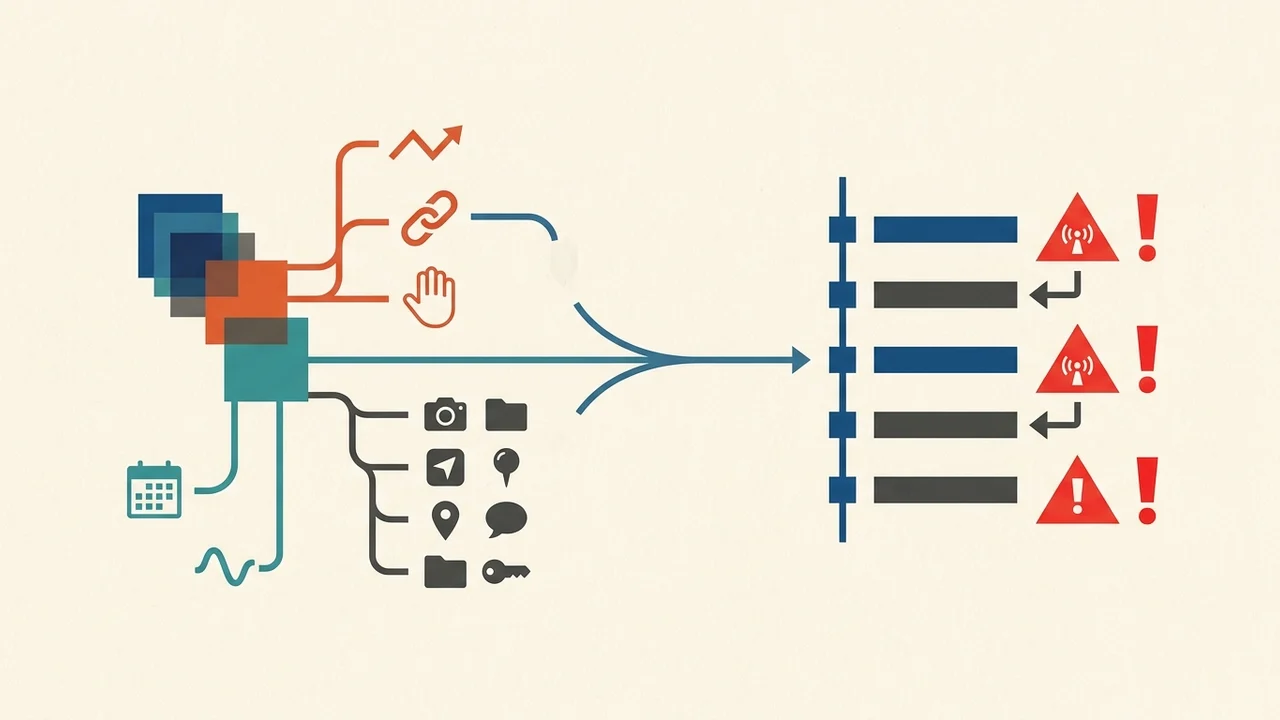
If a critical plugin has not yet been certified for Expo SDK 57 by its author, consider streamlining your MVP to core Bubble components for your initial launch. Shipping a reliable, minimal feature set is always better than risking a crash on day one.