Community Bubble Operator in ChatGPT web: release status unclear — not a Bubble runtime, don’t wire prod
A community-built Bubble Operator was recently showcased for analyzing Bubble apps inside ChatGPT Web. Here is why the unreleased tool must never be connected to production data, how it differs from official Bubble AI initiatives, and how early-stage builders can safely evaluate MVP architecture.
When launching an MVP with no-code tools or vibecoding workflows, speed is everything. It is tempting to connect any newly mentioned AI assistant in the hope that it will debug your workflows, fix database structure, and speed up testing with early users. A recent showcase on the Bubble Forum and LinkedIn introduced Bubble Operator (also referenced as a «Bubble Operator gpt plugin» from the ANKHS Operations Hub by AnkharaStudios), positioned to analyze Bubble apps directly inside ChatGPT Web. A closer look: n8n Assistant 2.35+: preview Agents,.
However, if you are a non-technical founder building an MVP or pitching angels, caution is essential: its release status is explicitly unclear, it is not an official Bubble Inc. product, and it is not a runtime replacement for your application. Wiring production credentials to an unverified chat sidecar poses immediate operational and security risks. Same topic: n8n Assistant: Agents Preview, MCP,. Same topic: Buildprint (19 Sep Forum): Claude/Codex.
What it is: an analytical sidecar, not an execution engine
Public posts frame Bubble Operator as an auxiliary inspection tool running on the ChatGPT Web side. According to the creator's posts, its core focus includes:
- Inspecting web pages and responsive mobile views;
- Reviewing installed plugins for compatibility and issues;
- Highlighting logic errors and proposing corrective patches;
- Serving as an analytical companion designed to complement Bubble’s future official MCP.
While the vendor mentions early «controlled editing» capabilities, troubleshooting and diagnostic clarity remain the primary focus. Crucially, in a Bubble Forum update on September 20, 2026, the creator confirmed the system is «not released yet» with no launch date, operating only towards an upcoming private tester hub with undecided free, premium, or open-source tiers.
Clearing up the confusion: separate tools with similar names
For non-technical makers, AI product terminology can easily blur together. It is vital to separate these distinct layers:
- Community Bubble Operator (ANKHS) — A third-party showcase running inside ChatGPT Web. It has no documented official backing or security certification from Bubble Inc.
- Bubble AI Agent — The sanctioned, in-editor agent provided by Bubble Inc. directly within the Bubble editor interface.
- Official Bubble MCP — An official model context protocol interface announced in Bubble’s September 2026 Community Update, currently under internal development with no public ship date.
- Standard Bubble-to-OpenAI API Calls — The standard production pattern documented in Bubble’s manual, where your app calls
api.openai.comvia the API Connector to generate features for end-users. That is an app-level runtime integration, not an external agent inspecting your editor. - OpenAI Operator / Agent Mode — OpenAI's native browser automation agent, entirely unrelated to Bubble community tooling. A closer look: Bubble Agent on 27 Sep:. Worth reading next: OpenAI DevDay: Codex cloud envs,.
The real risks of wiring early MVPs to experimental agents
The public announcements do not disclose how Bubble Operator ingests application data—whether through editor JSON exports, Data/Workflow API tokens, OAuth sessions, or manual uploads.
Connecting an experimental ChatGPT plugin to a live Bubble application creates serious liabilities:
- Exposing user privacy: Live customer records or database credentials could leak into third-party conversation threads or unvetted endpoints.
- Corrupting database states: Uncontrolled or semi-automated edits can break database triggers, corrupt field types, or delete user entries right when you are testing with your first users.
- Unverified reliability claims: Claims regarding bypassed token friction or automated maintenance reflect vendor marketing rather than independently audited infrastructure.
Founder checklist: what belongs in the sandbox vs what stays off live data
If you want to move quickly without breaking your product, follow these boundaries:
✅ Safe to explore (Editor / Sandbox Sidecar):
- Isolated test applications: Test community prompts, plugins, or schema inspectors exclusively against empty scratchpad apps or sanitized test databases.
- Manual expression troubleshooting: Paste isolated math or conditional expressions into ChatGPT (scrubbed of emails, keys, or user IDs) to understand logic trees.
- Built-in Bubble features: Use native editor validation and the official in-product Bubble AI Agent.
| Activity | Use for | Requirements / avoid |
|---|---|---|
| Isolated test applications | Test community prompts, plugins, or schema inspectors | Use only empty scratchpad apps or sanitized test databases |
| Manual expression troubleshooting | Understand logic trees with isolated math or conditional expressions | Scrub emails, keys, and user IDs before pasting into ChatGPT |
| Built-in Bubble features | Native editor validation and the official in-product Bubble AI Agent | — |
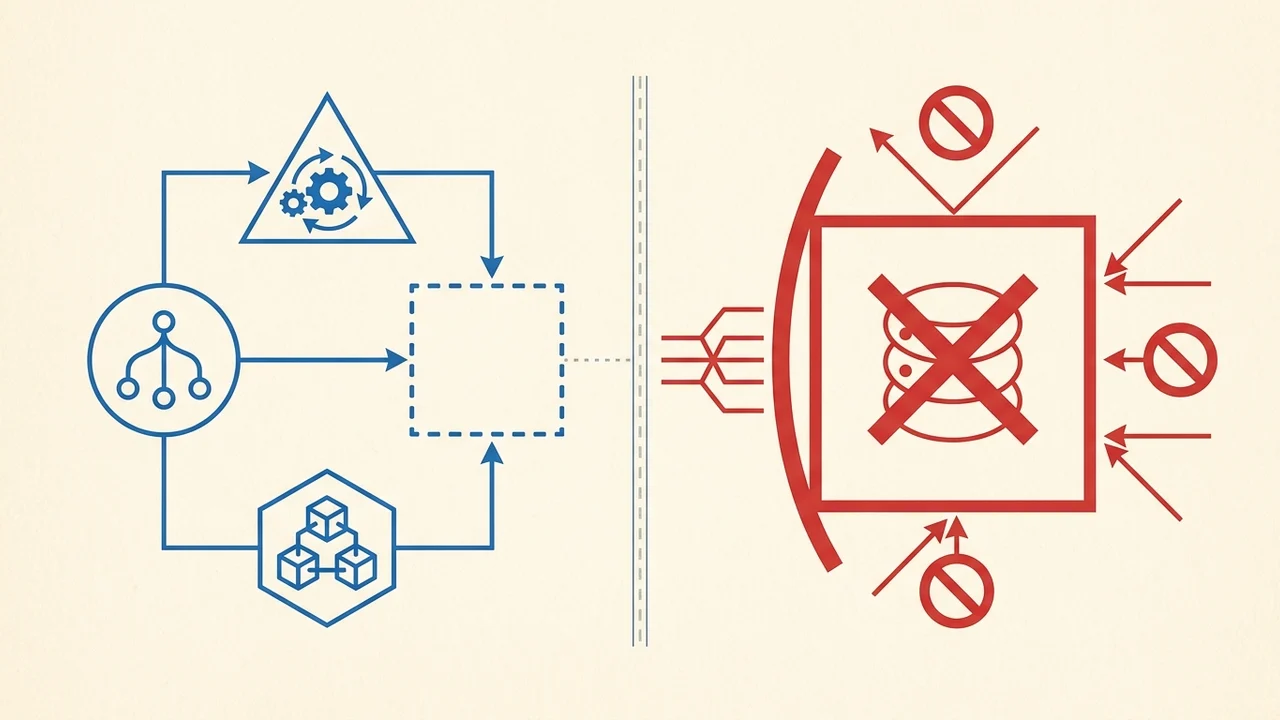
❌ Strictly off-limits:
- Live API tokens: Never supply Production API Connector keys, Master API tokens, or admin credentials to external chat interfaces.
- Connecting Live Customer Data: Never permit experimental agents read/write access to live user databases.
- Assuming ChatGPT «manages» your app: A chat interface is not a hosting runtime, database engine, or authentication provider. Keep your production architecture grounded and verifiable.