You Have a PowerPoint, Not a Spec: Importing a Deck into Base44 Does Not Brief an MVP
Base44 now lets you attach PowerPoint decks as build context. But a pitch deck made for investors doesn't tell software how to work. Here's why slides aren't a spec, and the minimal brief I'd write first.
Base44 recently added PowerPoint attachments (.pptx up to 50MB). You can attach a deck on the initial prompt screen, in planning mode, or right inside the AI chat. The tool reads slide text, tables, charts, and speaker notes, and uses the presentation as a reference for what you want to build. Marketing coverage and community commentary picked it up fast with one line: "your pitch deck is now an app brief." A closer look: Bubble AI planning sessions: structured.
I get why that lands with a non-technical founder. You spent weeks polishing a presentation for partners or investors, so it feels like the product spec is done and you just feed it to an AI builder. Then I read Base44's official documentation. The wording there is much more careful: the deck is build context and reference, not an execution spec.
The snag is that an investor deck and a product brief are written for different jobs.
Why a Pitch Deck Is Not an Execution Spec
A pitch deck exists to persuade people. It shows a market pain point, the size of the opportunity, the business model, and the financial ask. It answers one question: "Why should this business exist?"
Software needs different answers. So does a human developer. They need execution mechanics: Worth reading next: How Much Does an MVP.
- Who is in front of the screen and what role they have;
- What the single trigger action is;
- Exactly what data the system must validate, process, and persist;
- What the interface shows after a successful or failed action.
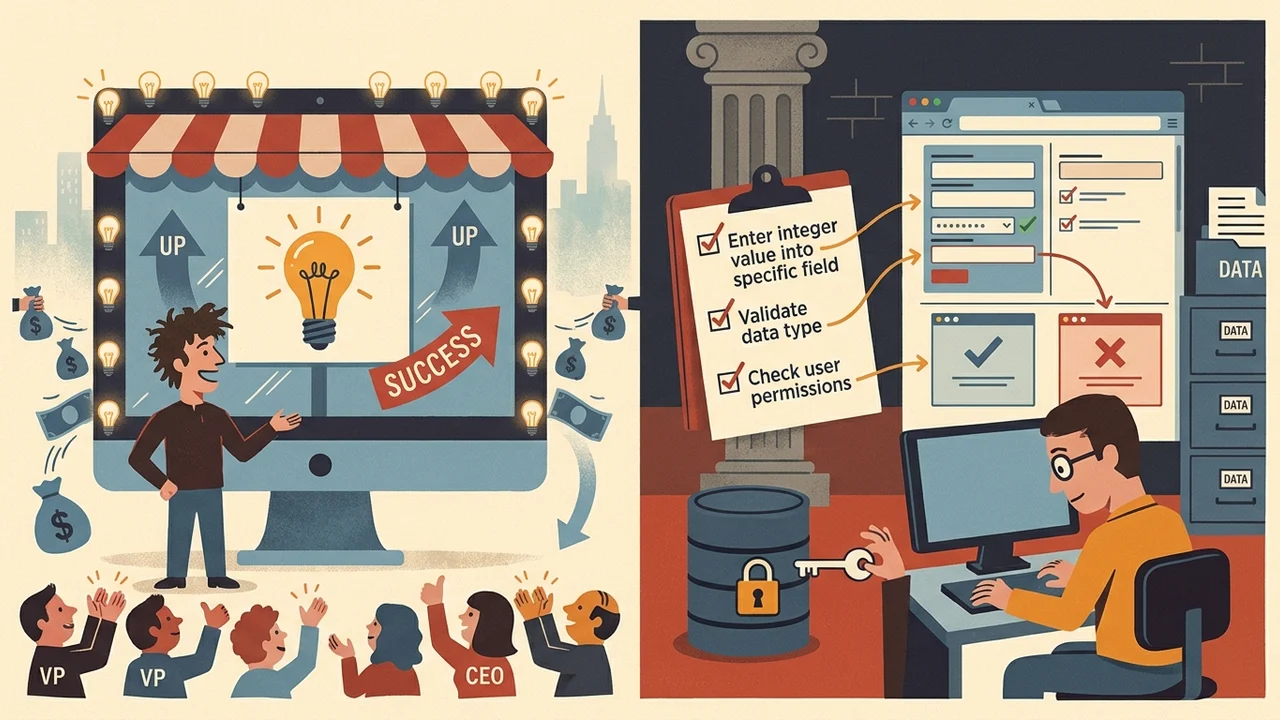
Investor decks rarely cover any of this. They have market growth charts, high-level architecture diagrams, and concept mockups. When you drop a deck into Base44, planning mode tries to work out intent, target audience roles, and core flows. If the slides don't contain them, the tool either asks you clarifying questions or fills the gaps with its own assumptions. And AI assumptions about your business logic rarely match what you actually need.
How Other Builders Approach Attachments
Other AI tools work the same way. Lovable accepts PowerPoint files and other documents as project context, but its own guidance tells founders to keep version one tight: one user, one action, one outcome. Bolt doesn't read .pptx files natively at all. You have to move the content over as plain text, PDF, or markdown.
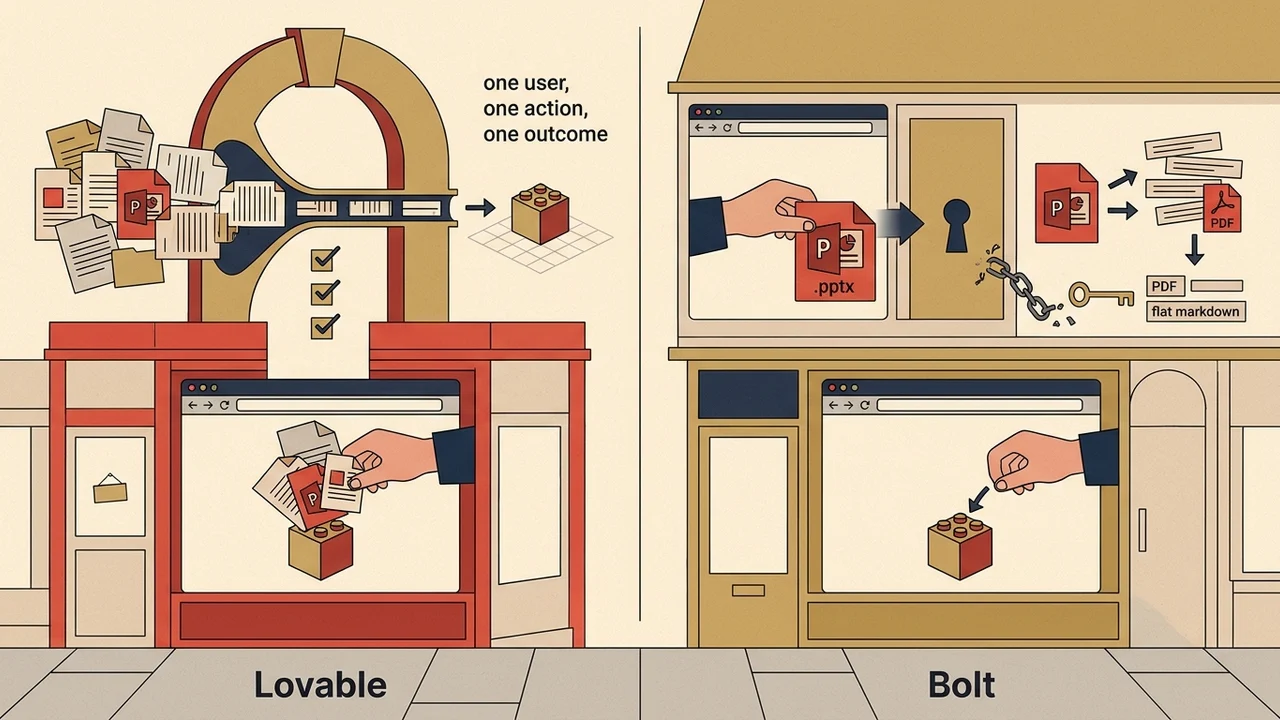
Whether you prompt an AI coding tool or hire an independent Bubble developer, an uploaded deck won't define the scope of version one for you.
The One-Page Brief to Write Before You Build
Before you upload a presentation to an AI generator or reach out to a developer, write four points on a single page:
- The Primary User. The one essential user role for v1. For example, only the client submitting a request, with no admin or analytics dashboards.
- The Core Flow. One unbroken path from entry to value. One user, one trigger, one action, one concrete outcome.
- Data Points. What exact information the user enters, and what the system must save in the database.
- Explicit Out-of-Scope Items. A clear list of what you are leaving out of the first version: no payment gateways, no automated password recovery via SMS, no CSV exports. Worth reading next: ‘Free Forever’ Is Not an.
The Bottom Line for Founders
Attaching a deck in Base44 or Lovable is a handy way to pass along general context, visual preferences, and the big-picture vision. It won't define how your application actually works.
So spend thirty minutes and put your one core flow and your data requirements on a single page. That page saves you time and budget, whether you build with AI tools or work with a Bubble developer.